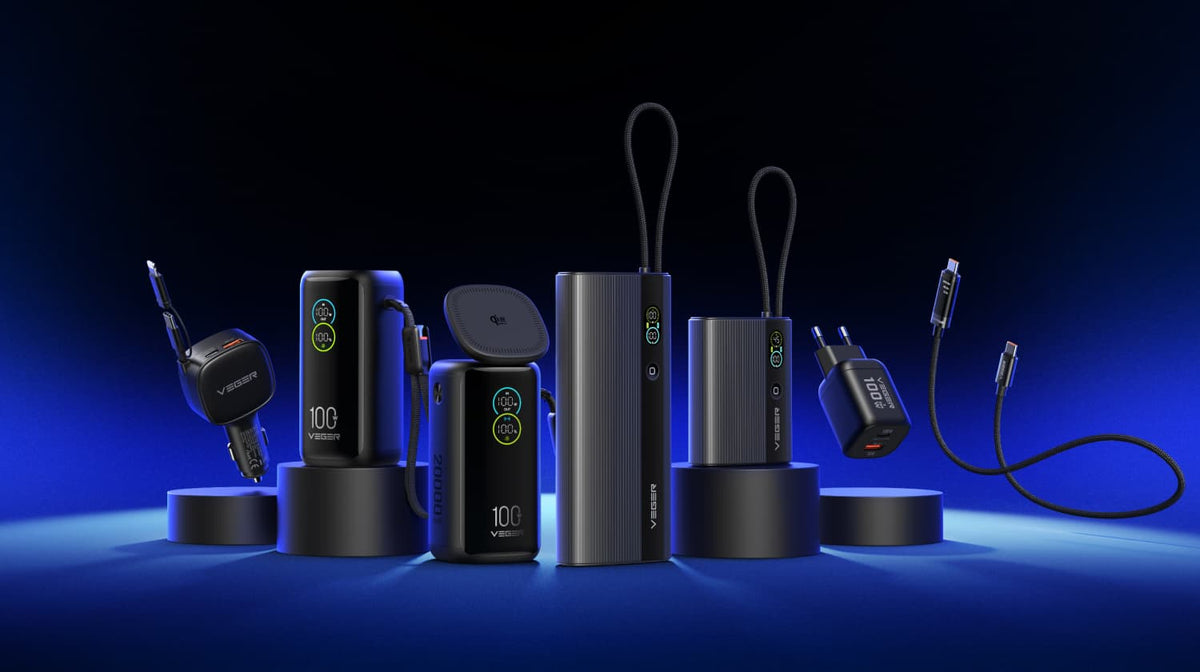
The right emergency power bank depends on what you need to charge. This guide helps you plan backup power for a 72-hour emergency, work out a realistic capacity budget, and choose between a portable phone charger and a larger household reserve.
On November 3, 2026, the European Commission announced new guidelines supporting household preparedness, including meeting essential needs during the first 72 hours of a crisis. This European emergency preparedness initiative is a useful reminder to review your supplies. See the European Commission announcement.
In the United States, an official notice about the November 17 emergency alert test also encouraged residents to review family emergency plans. The Maryland emergency management notice described a system test, not a prediction of a blackout. Both are good reasons to check your charging setup before you need it.
What Does 72-Hour Emergency Preparedness Mean?
It means preparing to meet essential needs for at least three days. A 72-hour emergency kit should account for water, food, medicines, reliable information, and a way to charge essential devices.
The EU guidelines are non-binding. The emergency power calculations and product suggestions below are VEGER’s practical advice, not official EU product recommendations. Planning for 72 hours does not mean one battery will run every device for three days, or that electricity will return within that time.
Which Devices Should You Prioritize During an Outage?
Start with the devices you rely on for essential communication and information. Phones will often come first. Add other compatible USB devices after you have budgeted for those priorities. This guide covers portable USB charging, rather than backup electricity for an entire home.
List Your Household’s Essential Devices
Check each device’s battery energy, connector, and charging requirements in its manual or manufacturer’s specifications. Then estimate how much charging you expect to need.
Here is a completed example for a two-person household. Both phones are assumed to have 18Wh batteries; replace these figures with your own.
| Device | Battery | Connector | Top-Up | Sessions* | Energy Needed |
|---|---|---|---|---|---|
| Adult 1 / Phone A | 18Wh | USB-C | 50% of battery | 3 | 27Wh |
| Adult 2 / Phone B | 18Wh | Lightning | 50% of battery | 3 | 27Wh |
| Total Energy Added to Phone Batteries | 54Wh | ||||
Example only: Both phones are assumed to have 18Wh batteries and receive three top-ups each during 72 hours. Each top-up adds 50 percentage points, such as charging from 30% to 80%.
Calculation: 18Wh × 50% × 3 = 27Wh per phone, or 54Wh combined. This excludes charging losses and additional devices.
Before packing: Check both phones’ input requirements and cable compatibility. In this example, both phones are high priority for essential calls, messages, and trusted updates.
*Sessions refers to the number of charging sessions per phone during the planned 72 hours. On smaller screens, scroll horizontally to view the full table.
Set Priorities for Your Available Power
Save energy for necessary calls, messages, and trusted updates before entertainment. Use battery-saving settings and reduce unnecessary screen time. A charged phone still needs a working network, so plan other ways to receive emergency information too.
How Much Emergency Backup Power Do You Need?
Add up your planned charging needs, then allow for losses and extra demand. Choosing a power bank for power outage preparation is easier once you have an energy budget.
Use Watt-Hours to Compare Stored Energy
Watt-hours (Wh) measure stored energy. Milliamp-hours (mAh) need a corresponding voltage before you can compare energy:
Wh = mAh × nominal voltage ÷ 1,000
Use the Wh value on the product label when available. Otherwise, use the nominal voltage associated with the stated capacity, not a USB output voltage such as 9V or 20V. Dividing power-bank mAh by phone mAh overlooks voltage differences and charging losses.
Estimate Your Household’s Charging Needs
For each device, multiply battery energy by the proportion you expect to replenish and the number of charging sessions. Add the results for all essential devices:
Energy needed = battery Wh × top-up proportion × sessions
In our example, each phone needs 18Wh × 0.5 × 3 = 27Wh. Together, the phones need 54Wh added to their batteries over the planned 72 hours.
| Step | Calculation | Result |
|---|---|---|
| Energy added to phone batteries | 2 × 18Wh × 0.5 × 3 | 54Wh |
| Stored energy needed at an assumed 75% efficiency | 54Wh ÷ 0.75 | 72Wh |
| With an additional 20% planning margin | 72Wh × 1.2 | 86.4Wh |
Calculation limits: Battery sizes, charging frequency, 75% end-to-end efficiency, and the 20% margin are assumptions for this example. They are not measured product performance or a guarantee of 72-hour coverage.
Allow for Charging Losses and Extra Demand
Some energy is lost during charging. Temperature, battery condition, and using a device while it charges also affect results. The efficiency allowance covers losses; the additional margin covers unexpected demand. Test your own equipment and budget separately for any extra devices.
What Should You Look for in an Emergency Power Bank?
Check capacity, compatible output, and recharging arrangements together. An emergency phone charger needs to suit your devices and the way you plan to use it.
Capacity That Matches Your Plan
A personal grab bag and a shared household reserve have different needs. Compare labeled Wh with your budget, then consider weight and storage. Several charged units can serve different family members, as long as their combined usable energy meets your plan.
Compatible Ports and Sufficient Output
Capacity describes stored energy; watts describe charging power. Check the connector, supported protocols, and output of the cable or port you will use. If several devices will charge together, check shared-output limits. A USB-C port alone does not establish laptop compatibility.
Recharging Speed and Clear Battery Status
Check input power and any required adapter or cable. Faster recharging is useful when electricity is available. A battery indicator helps you check readiness, but cannot predict exact runtime. An integrated AC plug still needs a working outlet.
Which VEGER Power Bank Fits Your Emergency Setup?
Choose portable convenience for your personal bag or greater stored energy for a household reserve. These two options serve different roles.
A Portable Option with Built-In Cables and AC Plug
The VEGER 10,000mAh with Built-In Cables and AC Plug keeps phone-charging essentials together. The official page identifies it as W1115 and lists a weight of 227g.
Integrated cables mean fewer accessories to gather, while the AC plug recharges the power bank when mains power is available. Check connector compatibility and the regional plug type before packing it.
Consider it a personal backup. Check its labeled Wh against your budget before planning several days of charging; do not assume one unit will cover a multi-phone household.
A High-Capacity Option for Home Backup
The VEGER Tank Lite 50,000mAh Backup Power lists 185Wh of stored energy and weighs 1,020g. It offers a larger reserve for compatible phones and USB devices, plus a battery display and built-in light.
Its labeled energy exceeds our illustrative 86.4Wh target, although actual coverage still depends on usage and delivered energy. The extra weight makes it more suitable for a household reserve than a small personal bag.
Check individual ports: listed USB-C output reaches approximately 20W, while maximum input is 18W. Greater capacity does not automatically mean laptop-level output or fast recharging.
| Scenario | VEGER Option | Main Trade-Off |
|---|---|---|
| Personal phone backup / grab bag | VEGER Built-In Cables and AC Plug | Convenient to carry; check capacity against your needs |
| Shared household phone reserve | VEGER Tank Lite 50,000mAh | More stored energy, with added weight and recharging time |
How to Keep Your Backup Power Ready
Test the complete setup before storing it. A phone charger for power outage use should be charged, compatible, and easy for everyone in the household to find.
- Test each connection. Connect your device using the intended cable or port. Confirm charging begins. If it does not, check the power bank’s charge level, activation instructions, cable, and compatibility.
- Test charging several devices. If your plan requires it, connect them together. Confirm each device charges and check the manual for power-sharing limits.
- Recharge after testing. Use a supported input. If charging fails, check the outlet, adapter, cable, and input requirements.
- Keep the kit together. Store essential cables and adapters in an accessible location, following the manual’s storage conditions.
- Schedule inspections. Check charge level and condition as directed. Stop using swollen or damaged batteries and follow manufacturer guidance.
Frequently Asked Questions
Can One Power Bank Last for 72 Hours?
It can, if charging needs are limited. Coverage depends on stored energy, devices, and usage. Calculate planned top-ups rather than assuming three days of continuous power.
Is a 20,000mAh Power Bank Enough for Emergencies?
It may suit some personal plans. Compare labeled Wh with your device budget, including charging losses and extra demand.
Can an Emergency Power Bank Charge a Laptop?
Only if its connector, protocol, voltage, output, and cable match the laptop’s requirements. Neither capacity nor a USB-C port alone is enough to confirm compatibility.
Can a Battery Backup for Phone Charging Keep Me Connected?
It can help keep your phone powered. Calls, messages, and internet access still depend on functioning networks and available service.
Start with your devices, work out your charging needs, and test your setup.
Compare VEGER Built-In Cables and AC Plug for personal backup with VEGER Tank Lite 50,000mAh for a larger household reserve. Choose the option that fits your plan.